Robotics or coding first? An honest answer for parents
A robot rolling across the floor beats a cat on a screen in any photo. Before you choose, look at what makes the robot move.

, 4 min read
On this page
Scroll any parents’ group in Nairobi in December and you’ll see the photos. A child holding a small robot with wheels. A line of children at a table covered in wires and motors. A certificate with the word “Robotics” across the top.
It looks like the future. A child dragging blocks on a laptop looks like homework next to it. So parents ask me a fair question: shouldn’t my child do robotics instead?
“Robotics is the advanced version of coding”
Many parents see a ladder: coding at the bottom, robotics at the top. The robot looks harder, so it must be further along.
Look at what a robot does without a program. Nothing. The motors don’t turn, the sensors don’t read, the lights stay off. Every move a robot makes comes from code someone wrote: go forward three seconds, turn when the sensor sees the wall, stop when the light changes.
So robotics sits beside coding and shares its ideas. Robotics is coding plus hardware: the same ideas, sent to motors instead of a cartoon cat.
A robot is a program with wheels. Teach your child to write the program, and the wheels come easily.
Count what the robot costs you
Hardware brings costs software doesn’t. A kit has to be bought, and a broken motor or a lost cable stops the lesson until it’s replaced. Batteries run flat in the middle of a class. In a group, children wait their turn for the one working robot.
In a coding class, the only hardware is the laptop your child already uses. A bug costs nothing but time to fix. A child builds a new project every week, and none of them needs a part from the shop.
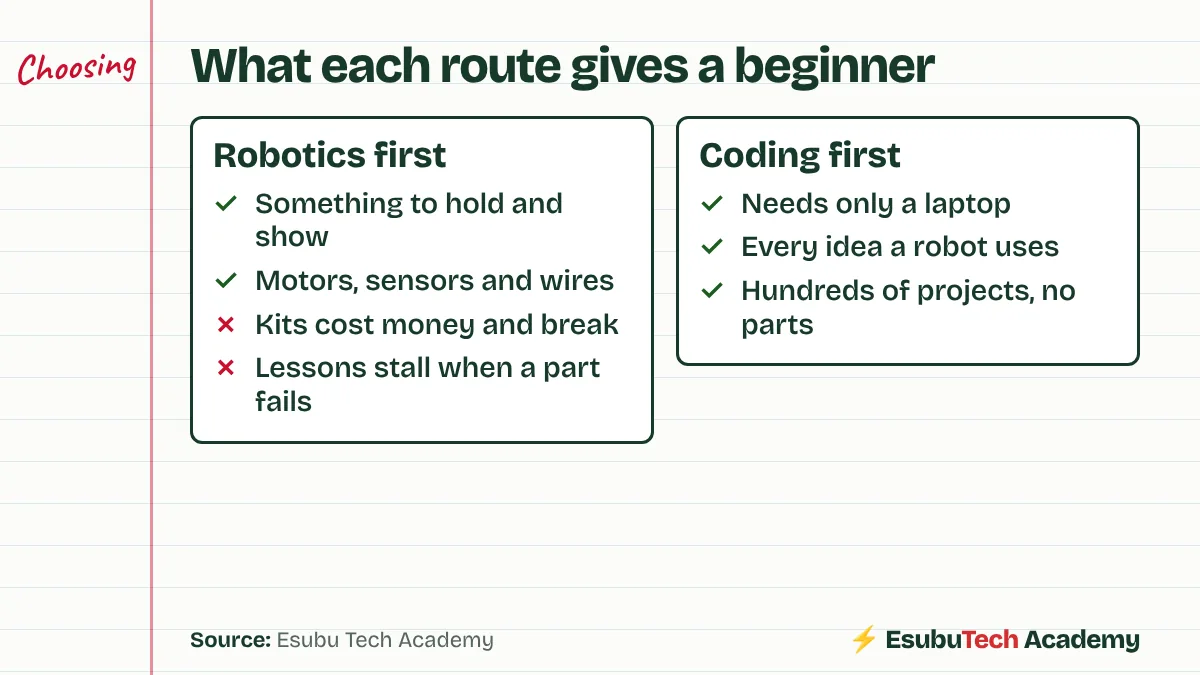
Ask a second question too. What does your child build at home after the class ends? A robotics child without a kit at home waits for next week’s session. A coding child opens the laptop and keeps going.
What coding gives a future robot builder
Every core idea in robotics appears first in coding:
- Sequences: do this, then this, then this
- Loops: keep moving until something happens
- Conditions: if the sensor sees a wall, turn
- Variables: count laps, keep a score, store a speed
A child who has built twenty Scratch games understands every one of these. Put a robot in front of them later, and they spend the lesson on the hardware, because the thinking is already done.
A middle route, with no kit
If your child longs for something physical, try a simulator first. Microsoft MakeCode runs in a browser and shows a micro:bit on screen, a small board with lights, buttons and sensors used in many school robotics kits. Your child writes the program in blocks and watches the board react, with nothing to buy.
So which first?
My answer: coding first, for most children, then robotics once they write programs with loops and conditions on their own. A child who meets robotics after coding enjoys it more, because the robot does what they meant.
Some children do better the other way round, the ones who need to touch things before ideas make sense. If this describes your child, a good robotics class is a fine start. Ask the provider how much of each lesson goes to writing code, and what your child does at home between classes.
Read the MakeCode and Raspberry Pi pages below, and try both routes for an evening before you pay for either. Our post on nine questions to ask before you pay works for robotics classes too.
Check this yourself
The sources behind this post. Read them, and read the people who disagree, before you decide.
- About Microsoft MakeCode for micro:bitBlocks and JavaScript editor with a micro:bit simulator, in the browser, nothing to install.
- Scratch, information for parents (MIT)Free block coding, designed for ages 8 to 16.
- At what age can a child start coding? (Raspberry Pi Foundation)Floor robots for young children, block coding from about six.
Sammy founded Esubu Tech Academy and designs its coding and chess curriculum. He holds a BSc in Data Science from KCA University and is studying for an MSc in Artificial Intelligence at the Open University of Kenya. He learned to code as an adult, after years of unfinished tutorials, and teaches children so they start sooner.