What your child builds in the first four weeks of coding and chess classes
We don't run trial classes. So here is the next best thing: the work your child does, week by week, and what lands on your table at home.

, 5 min read
On this page
When you choose a school for your child, you walk the corridors. You look into a classroom, see the books, ask about the syllabus and meet a teacher. Then you pay the fees.
An online class gives you none of this. There’s a Zoom link, a till number and a stranger asking for KES 12,000. A study by Koa Academy found about 80% of Kenyan parents know online schooling exists, and only 9% have enrolled a child. Parents in the study ranked the teacher about as high as the content.
We don’t run free trial classes. So this post is the corridor walk: the work your child does in the first four weeks, and what you see at home.
“If my child enjoys it, it’s working”
Most parents judge a children’s class by one question at the end of the day. “Did you enjoy it?”
Enjoyment is easy to buy. Any video game delivers it, for free, for hours. A class which aims at fun alone gives you a happy child and nothing to show at the end of the month.
Ask a different question after class. “Show me.” A child who learned something shows you a thing which works, and explains why. A child who only had fun shows you a screen and shrugs.
Would you judge a school by whether your child liked break time?
The four weeks, side by side
Here is the plan every new group follows. Holiday groups meet every weekday morning and move faster. Term groups meet three evenings a week. Groups are set by ability, so a child who already codes starts further along.
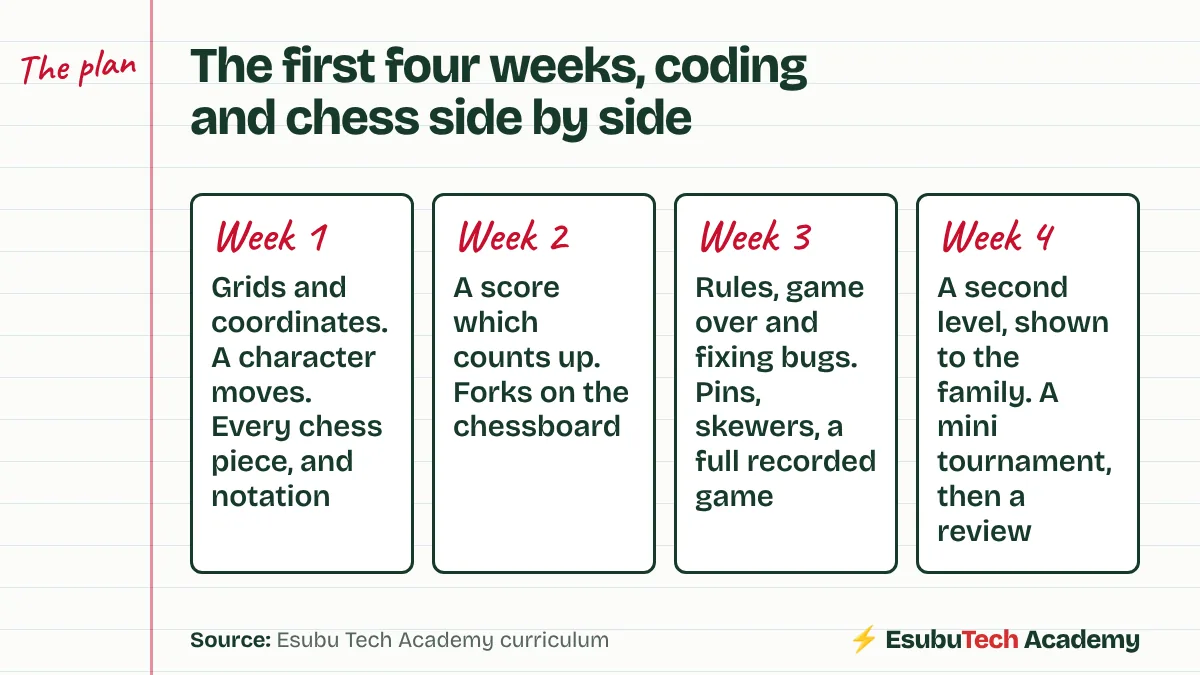
Week 1: preparing the soil
Before any game, we work on the maths underneath it. Counting steps. Turning left and right. A grid with an x and a y. I call it preparing the soil, because the coding grows out of it.
By the end of the week your child’s character moves around the screen with the arrow keys. On the chessboard, they learn how every piece moves and how to write a move down: knight to f3, pawn to e4. The chessboard is a grid too, which helps both subjects.
Week 2: a score which counts
Now the game needs a reason to play. Your child adds an apple to catch and a score which goes up by one each time. This is a child’s first variable, a box with a name which holds a number.
On the chessboard, week two brings the first real tactic: the fork. One piece attacks two at once.
Week 3: rules, bugs and a full game
Week three is where I quit free online courses, years ago, more than once. The game gets rules: lose three lives and it ends, touch the edge and bounce back. Things break. Your child learns the habit at the centre of all programming: guess why it broke, test the guess, fix it.
In chess, pins and skewers join the fork, and your child plays a full game and records every move.
Week 4: a finished game, shown at home
Your child adds a second level, tidies the game and shows it to the family. In chess, the group plays a mini tournament, and we replay one game from each child to find the move where it turned.
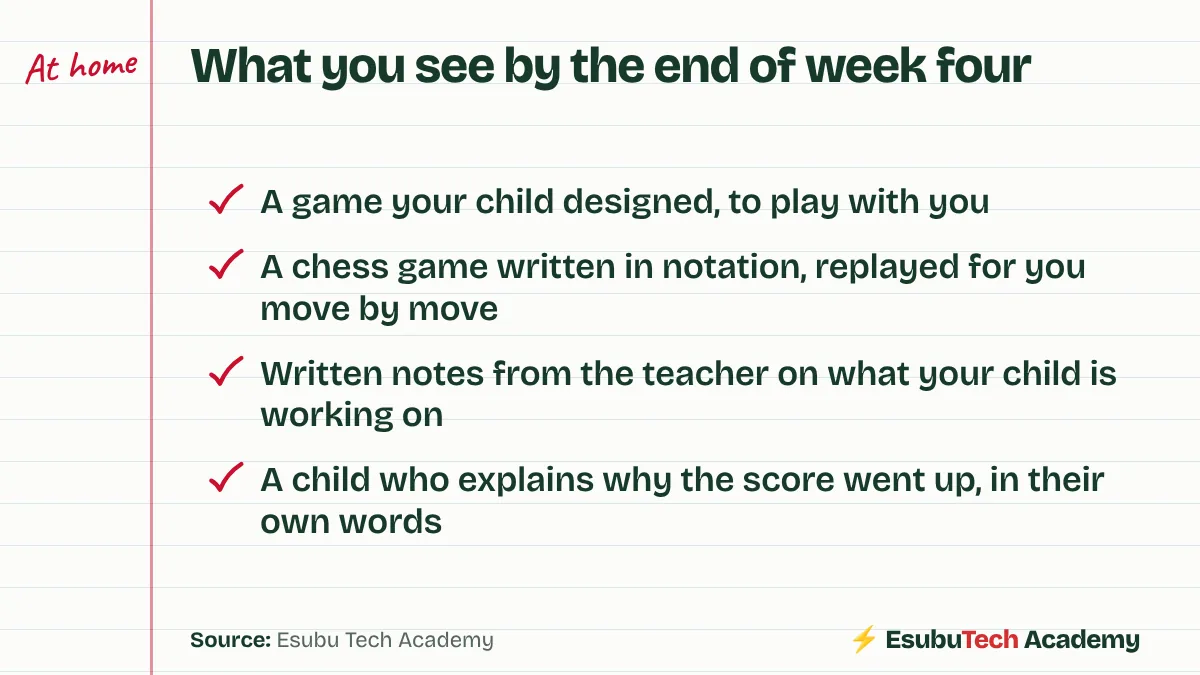
What to check at home
You don’t need to understand code to check the work. Sit with your child on Friday and ask three things.
- “Show me the game.” Then play it yourself.
- “Why does the score go up?” Listen for the word “if”.
- “Replay your best chess game for me.” Watch them read the moves off the paper.
A child who answers all three has learned something. A child who struggles with all three tells you something too, and I want to hear it.
Ask every academy for its plan
Ask any coding school you’re considering, us included, for its week-by-week plan. Ask what your child will show you at the end of week four. A school with no plan to show you is selling hours.
Then try the free route for a fortnight with the Scratch website and Lichess puzzles. Watch where your child gets stuck, and whether anyone notices. Our post on free coding for kids in Kenya shows how to give the free route a fair test.
If you’d rather see the work before committing to a month, ask me on WhatsApp about paying week by week.
Check this yourself
The sources behind this post. Read them, and read the people who disagree, before you decide.
- Scratch, information for parents (MIT)The free block-coding tool our younger groups use, designed for ages 8 to 16.
- 80% of parents aware of online schooling, but uptake remains low (Citizen Digital, February 2026)Koa Academy study: parents rank the teacher about as high as the content.
- About LichessFree chess puzzles for practice between classes.
Sammy founded Esubu Tech Academy and designs its coding and chess curriculum. He holds a BSc in Data Science from KCA University and is studying for an MSc in Artificial Intelligence at the Open University of Kenya. He learned to code as an adult, after years of unfinished tutorials, and teaches children so they start sooner.