Learning to code on a phone: what your child needs at home, and what they don't
Your child already spends hours on a phone. Before you buy a laptop, or decide coding isn't for your family, look at what each device does.

, 3 min read
On this page
A national survey of 25,000 Kenyan households gave a clear picture. 53.7% of Kenyans aged three and above own a mobile phone. Only 11.6% use a computer, and even in towns the figure sits a little above one in five.
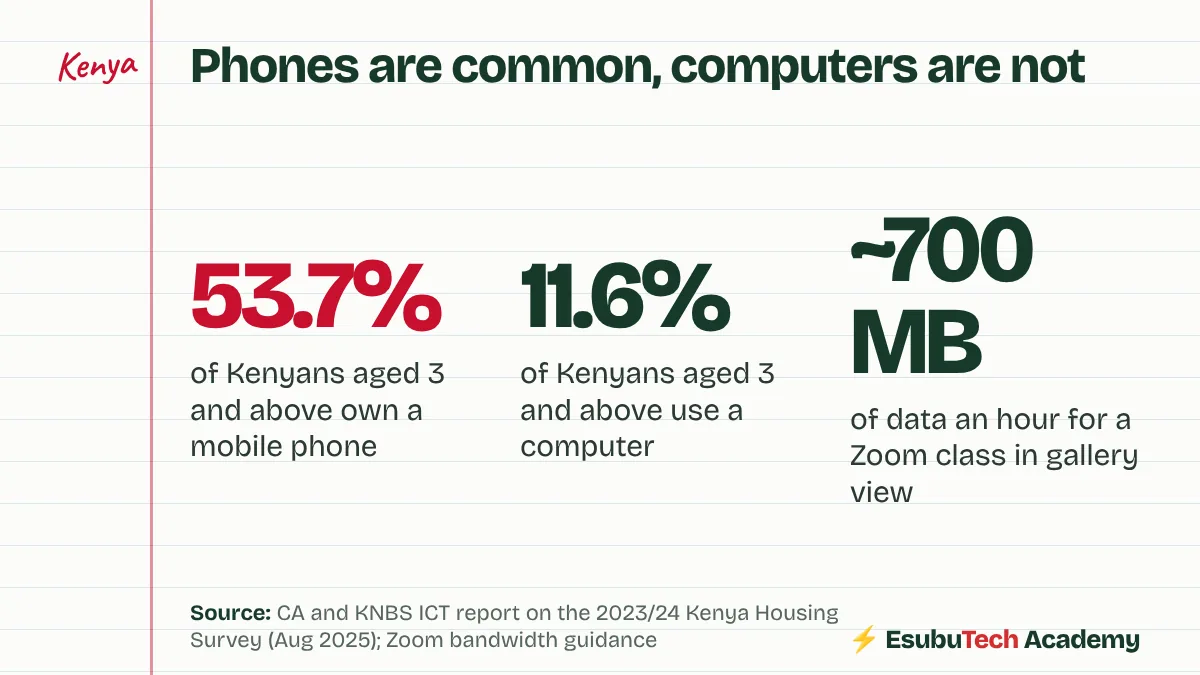
So “is a phone enough to learn coding?” is a fair question. For many families the phone is the only screen in the house.
Two beliefs, pulling in opposite directions
The first belief: my child is on the phone all day and handles it better than I do, so the phone is enough.
The second: coding needs an expensive laptop, so it isn’t for families like ours.
Both are wrong, in different ways.
What a phone does, and doesn’t
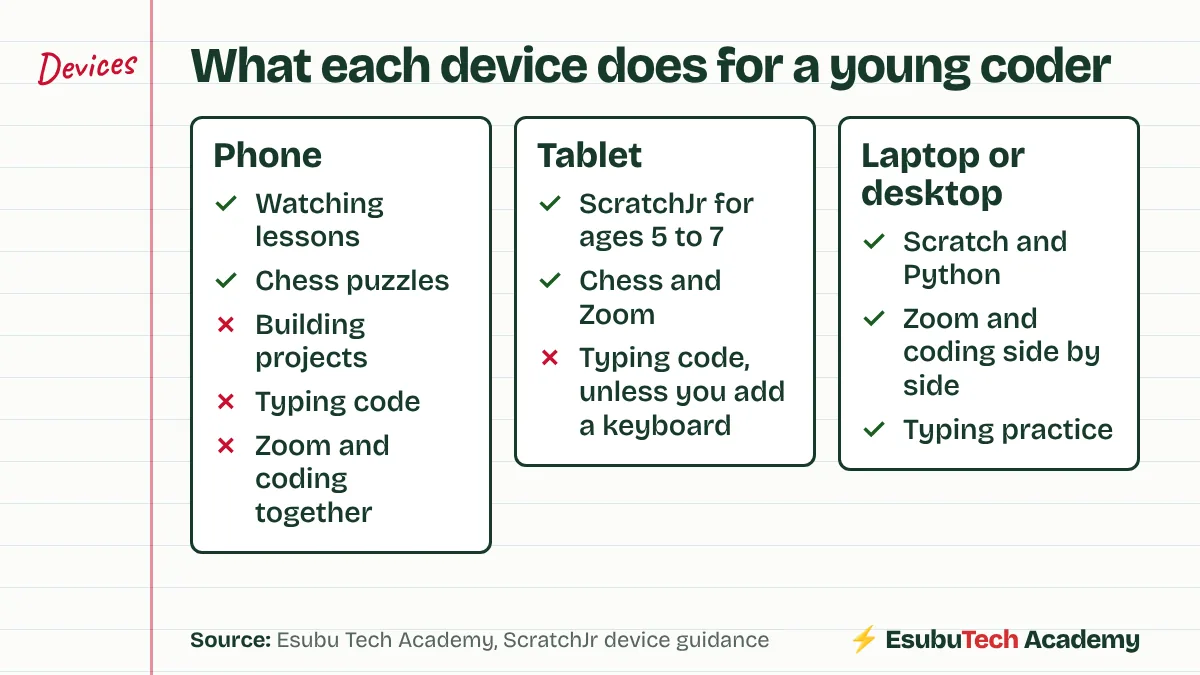
A phone is good for watching. A child watches lessons, reads about coding and solves chess puzzles on a phone without trouble.
Building is another matter. Coding means dragging blocks or typing lines, testing, changing one thing, and testing again, often with a lesson open beside the work. On a six-inch screen the blocks are tiny, the keyboard covers half the work, and a Zoom class leaves no room for anything else.
Even the makers of ScratchJr, the coding app for young children, built it for tablets and recommend a screen of seven inches or more. Phones are not on their list.
A phone lets your child watch other people build things. Building takes a bigger screen and a keyboard.
A tablet sits in the middle
For children aged five to seven, a tablet runs ScratchJr well. It handles chess and Zoom too. Older children outgrow it once they want to type, and a cheap keyboard which connects to the tablet stretches its life.
A laptop doesn’t need to be new
A laptop or desktop is where real projects get built, in Scratch first and in Python later. It doesn’t have to be expensive or new. A used laptop with a working camera, a keyboard which types cleanly and a browser which opens the Scratch website does the job for a beginner. Add a cheap mouse. Dragging blocks is far easier with one.
Data, the cost parents forget
Live Zoom classes use data. Zoom’s guidance puts gallery view or 720p video at about 1.5 megabits a second. At this rate an hour comes to roughly 700 MB, and a three-hour holiday morning to about 2 GB.
Home Wi-Fi works out cheaper than phone bundles for regular classes. If bundles are your only option, check the price of a monthly bundle against daily ones before classes start.
Check before you spend
Before buying anything, borrow. A relative’s old laptop, a neighbour’s tablet for one evening. Watch your child use it for an hour on the Scratch website. If they push through the small frustrations, the device question is settled, and you know what to look for when you buy.
Read the CA and KNBS report too. It breaks access down by county, and it’s a sobering picture of how far Kenya has to go.
If your child has no computer yet, the free options are still worth starting with. Some Code Clubs run on school computers, open to club members.
Check this yourself
The sources behind this post. Read them, and read the people who disagree, before you decide.
- Urban-rural digital divide hinders ICT uptake (Communications Authority of Kenya, August 2025)25,000 households: 53.7% own a mobile phone, 11.6% use a computer, about 35% use the internet.
- What devices work with ScratchJr? (Boston College DevTech)Built for iPads and Android tablets. A screen of 7 inches or larger is recommended.
- Bandwidth requirements for Zoom (Columbia College Chicago help desk)Gallery view or 720p video: about 1.5 Mbps each way.
Sammy founded Esubu Tech Academy and designs its coding and chess curriculum. He holds a BSc in Data Science from KCA University and is studying for an MSc in Artificial Intelligence at the Open University of Kenya. He learned to code as an adult, after years of unfinished tutorials, and teaches children so they start sooner.