What comes after Scratch? The coding ladder from age 6 to 16
Parents see a cartoon cat and wonder where this leads. The whole ladder, rung by rung, with what a child builds on each one.

, 4 min read
On this page
Picture a father watching his son finish a first game: a cartoon cat chasing a mouse across the screen. He’s proud. He’s also worried. “This is nice,” he thinks, “but where does it go? Nobody gets a job moving a cat.”
It’s the right question. Every parent paying for classes deserves to see where the road leads.
“Scratch is a toy for small children”
The cat makes Scratch look like a game. Parents see colourful blocks and assume real programming starts somewhere else, later, with a black screen and green text.
The blocks hide nothing. A Scratch game with a score uses a variable. A game which ends when lives reach zero uses a condition. A character who keeps walking uses a loop. Scratch’s makers at MIT designed it for ages 8 to 16, and Kenya’s Grade 10 Computer Science design lists Scratch next to Python among its languages.
The ideas carry all the way up. What changes on each rung is the way of writing them, and the size of the thing your child builds.
The cat is the first rung of a ladder which ends in data science and AI. Every rung uses ideas the child met on the one below.
The ladder, rung by rung
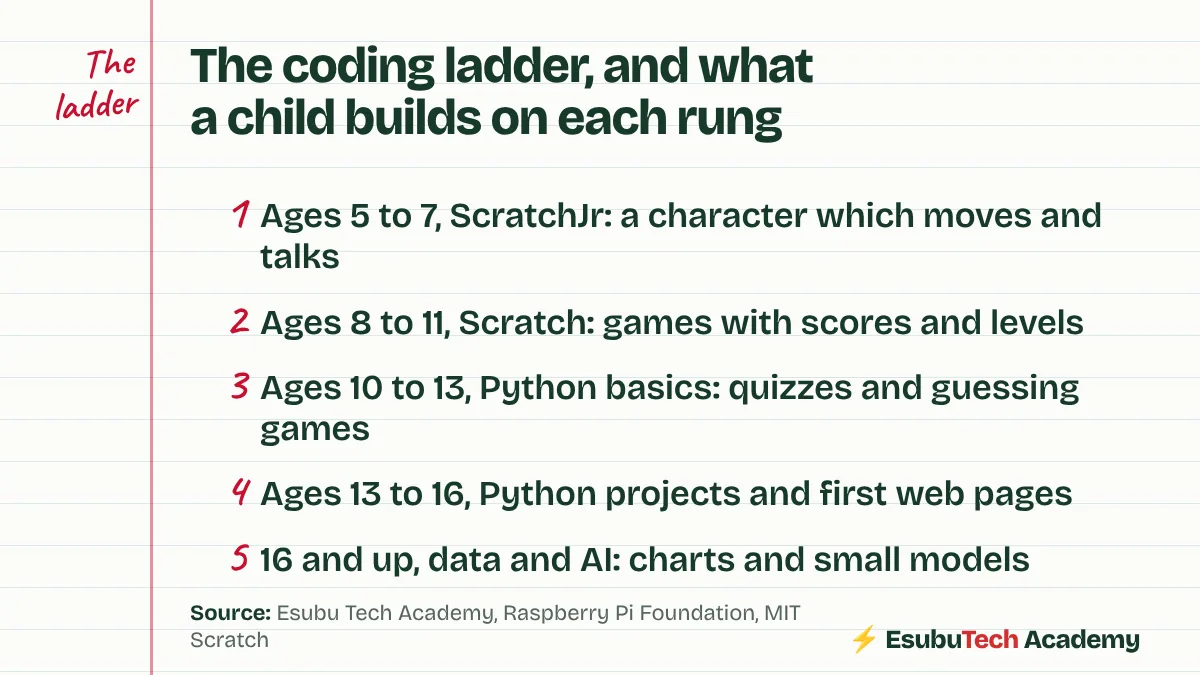
Ages 5 to 7: ScratchJr, on a tablet. Children snap picture blocks to make a character move, jump and speak. Reading isn’t needed yet.
Ages 8 to 11: Scratch, in the browser. Games with scores, levels, timers and lists. A child here learns to plan a project, break it, and fix it.
Ages 10 to 13: Python basics, once typing is comfortable. The first programs are small: a quiz, a calculator, a number-guessing game. The ideas are the same as in Scratch. The spelling now counts.
Ages 13 to 16: bigger Python projects and first web pages, shared with friends and family. A teenager here builds something other people use, such as a quiz for younger siblings or a page for a school club.
16 and up: data and AI. With Python in hand, a teenager learns to clean data, draw charts and train small models which make predictions. I teach this rung to older teens, and it’s where my own working life sits: data science, and a master’s in artificial intelligence.
The ages are rough guides. Reading, typing and patience matter more than birthdays.
Where children fall off
The common fall happens between Scratch and Python. A child who loved blocks meets red error messages about a missing bracket, decides they’re bad at coding, and stops.
Two things prevent it. First, don’t rush the jump. A child who has finished several Scratch projects with variables and conditions is ready. A child who has only followed tutorials isn’t. Second, make the first Python program a copy of a Scratch game they already built. The idea feels familiar, and only the writing is new.
Check where your child stands
Read the Raspberry Pi guide on ages and the Scratch page for parents, both linked below. Then place your child on the ladder honestly. If your child sits a rung lower than their age suggests, there’s no harm in it.
Ask one more question: what does your child want to build one day? A game, an app, a website, a robot? The answer tells you which rung to aim for next. Our post on Scratch or Python first covers the hardest jump in more detail.
Check this yourself
The sources behind this post. Read them, and read the people who disagree, before you decide.
- At what age can a child start coding? (Raspberry Pi Foundation)Block coding from about six, typed languages from about nine or ten.
- Scratch, information for parents (MIT)Designed for ages 8 to 16.
- What devices work with ScratchJr? (Boston College DevTech)Built for tablets, for young children.
- Computer Science Grade 10 curriculum design (KICD, June 2024)Python and Scratch both appear on the list of languages for senior school.
Sammy founded Esubu Tech Academy and designs its coding and chess curriculum. He holds a BSc in Data Science from KCA University and is studying for an MSc in Artificial Intelligence at the Open University of Kenya. He learned to code as an adult, after years of unfinished tutorials, and teaches children so they start sooner.